

How to Use Google Analytics for Successful Link Building
Google Analytics is a database into the minds of internet users. From measuring web traffic to analyzing audience characteristics, this tool allows marketing professionals to get the data they need to make informed decisions for their business.
Link building is an important process for ranking well on Google. The data GA provides is catered to your website and adjustable to your specific needs, and its rich information provides the insight needed to establish data-driven analysis and research tactics – and, of course, build relevant links.
The Investis Digital link development team has a variety of tools at our disposal to conduct research and competitive analysis, but we know that GA has some “hidden gems” when it comes to link building. Read on to learn these gems and start using Google Analytics to your link-building advantage.
1. Conduct website and content analysis
The first step in the link development process involves taking inventory of your website’s content and pinpointing which pieces are linkable assets, or those that have a high probability of acquiring links.
One of the best ways to do this is to determine which pages receive the most engagement. A comprehensive outline of this information can be found in the Behavior Report’s “Site Content” section in Google Analytics.
Filter your content
You can filter your content by category, such as landing and exit pages. While the “All Pages” tab includes every piece of content, the “Landing Pages” tab shows where visitors entered the site.
This table provides several important details, such as:
- Pageviews: The total number of times a page was viewed by web visitors
- Average Time on Page: How long users spent on a particular page
- Bounce Rate: The percentage of page sessions in which the page received zero interaction from users
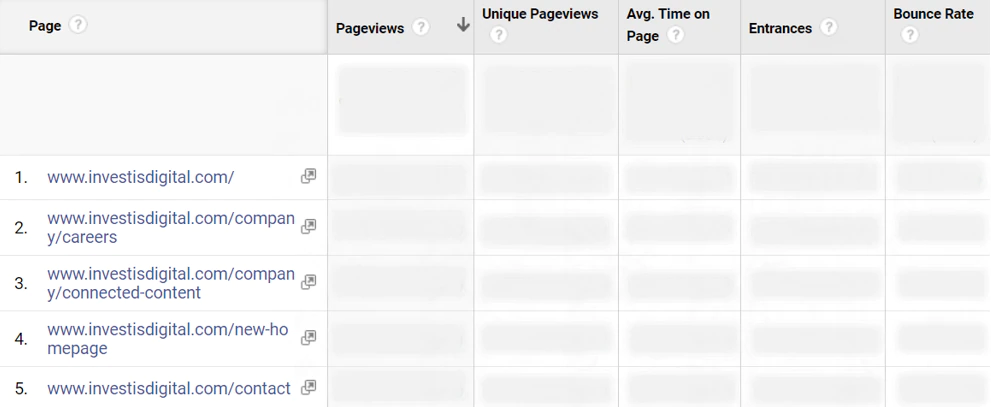
Using the “All Pages” filter allows you to explore the content at large to see which types of pages and topics are gaining the most traction. Homing in on the “Landing Pages” can help you understand what information your visitors hope to find on your site.
Choose pages with broad appeal
While brand-specific content such as case studies and employee spotlights may perform well on your site, it doesn’t provide much value to the general public. Therefore, it is best to choose pages that are broader in nature and applicable to a variety of internet users, including guides, infographics and how-to articles.
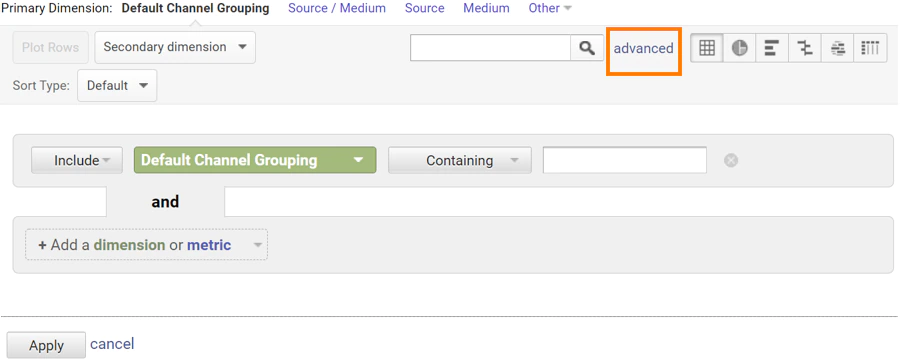
Your report will likely rank your general pages, including the homepage and contact form, as high-performing, because they naturally receive a lot of traffic and engagement. Filter your data using advanced commands to find the content that will truly be most valuable to web users.
The “advanced” button is on the gray bar adjacent to the “secondary dimension” and “sort type,” under the line chart as shown:
Narrow your page options
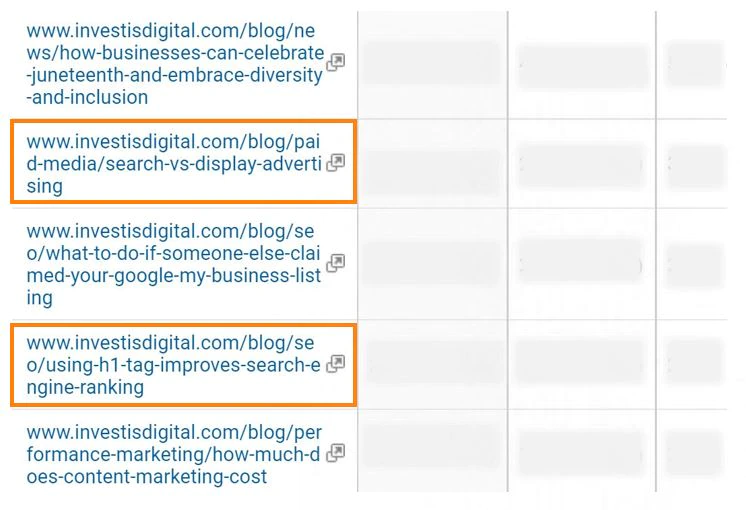
Narrow your pages down to only display those that include or exclude certain words or phrases. For example, most of the content that we consider to be linkable assets can be found on our company blog. As the URL for all these posts contain the word “blog,” we would enter:
“Include” --> “Page” --> “Containing” --> “blog”
As shown below, this command allowed us to extract and rank all our blog content. This simplifies the process of filtering through pages and finding the best resources for link building.
Optimize pages for success
After you’ve identified your top pieces, determine how you can further optimize them for success. Webmasters are more likely to link to your content if it is organized, evergreen, and most importantly, useful for their audience.
Consider adding even more value to these pages by expanding copy, creating multimedia elements to accompany them, and writing more relevant subheads.
2. Identify prospect opportunities
Before pitching your assets to websites, collect a list of relevant and valuable prospects. Think like the average internet user while you conduct research throughout this phase.
Identify external and internal search terms
Search intent (or identifying the user’s main goal behind the query) is at the forefront in this step. Understanding the content, keywords and phrases your audience is using to search will lead you to the appropriate resources.
One manner of conducting keyword research is examining Google Analytics’ “Organic Search” section, under the “Acquisition” tab.
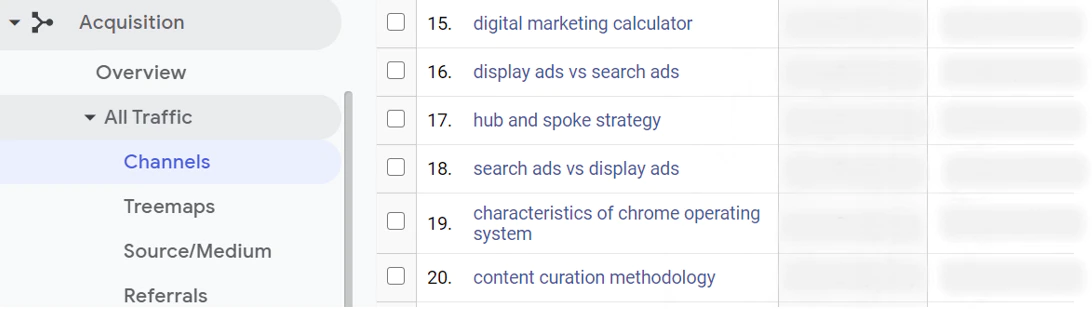
This report outlines the keywords, paid and unpaid, users entered in the search bar that led them to your website. In addition to Google, data from a range of other search engines can also be located depending on your account settings. You can add information from other engines, including AOL, Yahoo, ONET and others.
Analyze search terms
Another method of performing keyword analysis is through the platform’s “Search Terms” tool, which is located under the Behavior “Site Search” report.
Search terms are the words visitors use to internally navigate your site after landing on it. This section provides strong insight and is only accessible to domains that have a search bar.
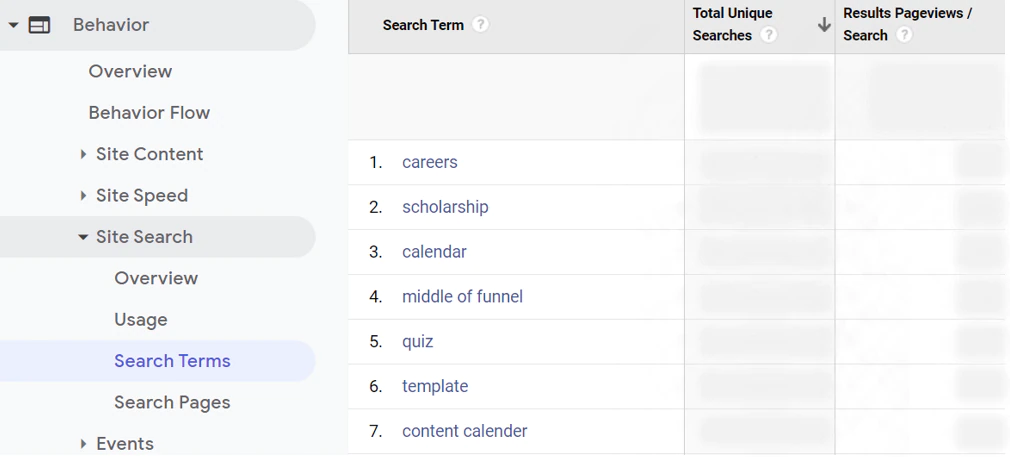
This segment is valuable because it outlines the exact phrases users type into your site. There is no guessing; it tells you the actual words your visitors used to find the content they were looking for.
The data presented in the previously mentioned reports will give you a look at your audience’s mindset and overall search goals.
Implement the terms used internally and externally from your site and variations of them throughout your own searches. This will help lead you to search engine results pages (SERPs) that are highly relevant to your audience as well as the resources you are pitching.
Look at your referral traffic
Your site’s Referrals report is another Google Analytics’ feature that can further assist you in identifying link opportunities.
Referral traffic is defined as the visitors who enter your site from sources outside the search engine, such as backlinks and social media platforms.
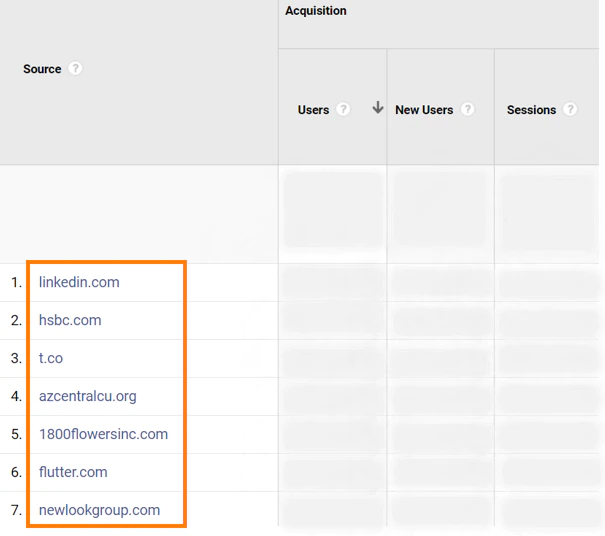
 This traffic helps your link development efforts by informing you of which websites currently point to your content.
Don’t overlook pre-existing opportunities
Take stock of the blogs, news outlets and other domains that currently link to your site. It’s important to keep these contacts in mind when sending outreach, as they are familiar with your content and find it useful, which could lead to more backlinks.
You can also use this feature to identify websites with audience interests that are similar to yours. For example, say you are a home developer, and you find that many sites linking to your content pertain to retirement. You can leverage this opportunity by finding other outlets that also cater to this audience. Of course, you should always consider a site’s domain and page authority.
This is a reliable way to discover the types of users and topics that are relevant to your brand that may result in leads. After you’ve organized a strong list of opportunities, it’s time to send your outreach emails.
3. Measure the impact of your link building
A successful link-building campaign will generate brand awareness and deem your site more authoritative over time. While the impact of your results may not be immediate, GA provides a variety of ways to measure your link development progress.
In this section, you will be referencing your organic and referral traffic reports once again.
Review your organic and referral traffic growth
Your organic traffic will naturally increase as you build more backlinks. This is due to factors such as:
- Your content is now being mentioned on sites that have high traffic
- Google deems your website as more authoritative and ranks it higher on SERPs
- Your backlink profile is becoming more diverse and attracting a wider variety of audiences
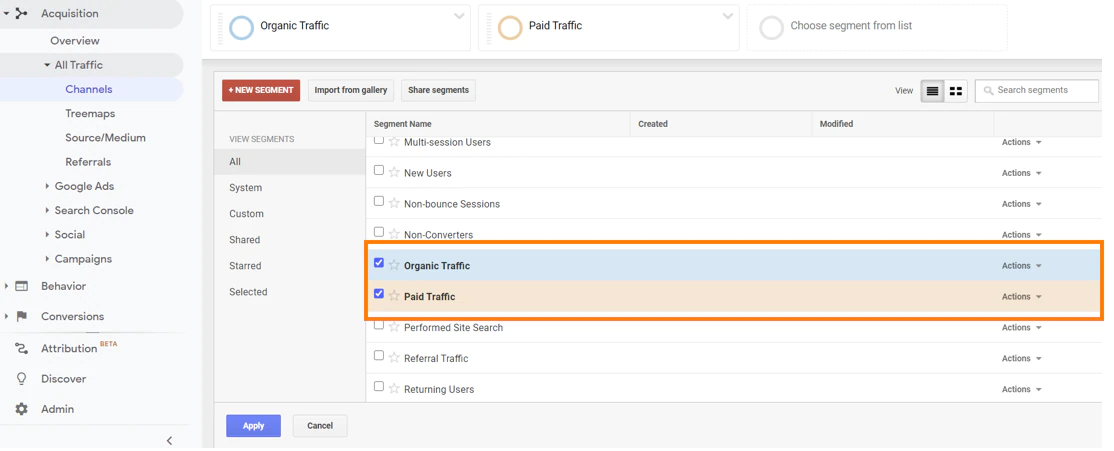
Review your channel reports and compare you organic to non-organic traffic. This can be done by creating “Organic Traffic” and “Paid Traffic” segments within the graph at the top of the page.
Gauge your progress
If you are building links on highly valuable and relevant sites, you should eventually see a steady increase in organic visitors from month to month. Don’t be discouraged if this isn’t immediately the case. Several elements can affect your results, including Google algorithm changes or swings in the news cycle.
While landing a spot on the first page of the SERP is the goal, solidifying this ranking takes time and can quickly change. Steady boosts in organic traffic are a tell-tale sign you are heading in the right direction and making strides for your domain.
Gain insight from your referral traffic
Another way to gauge your progress is to take a closer look at your website’s referral traffic. Analyze these results to learn from which sources visitors are entering your site.
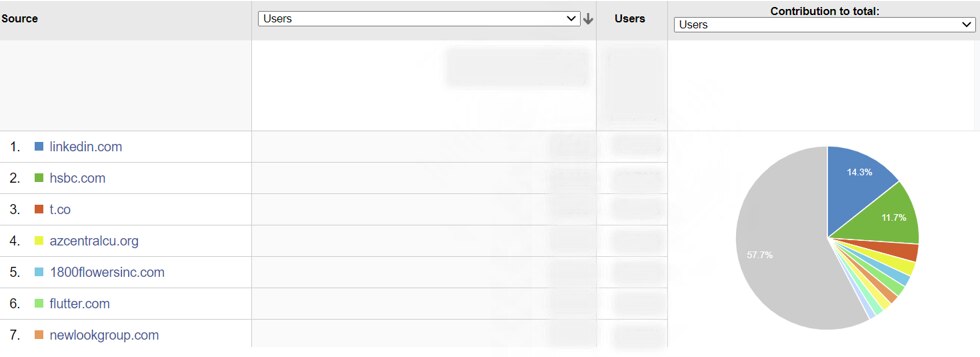
Then, compare these sources to those you pitched, gives you intel on which websites and content garner traffic to your domain. Make note of your high-performing assets and continue to leverage them going forward.
Identify fruitful backlinks
Additionally, consider which backlinks are proving to be the most fruitful for your site. Monitor how the results of these outlets fluctuate over time. These features provide unique data that often are the direct result of your link-building campaigns.
It must be noted, however, that referral traffic is never a guarantee when building backlinks. The main goal of link development is to increase the authority and visibility of your site. Qualified referral traffic may come as an added benefit of your efforts.
Download our new guide
While other SEO resources are helpful, the detailed insight Google Analytics provides is unsurpassed. Use GA data to increase the visibility of your site and earn quality backlinks.
Do you need assistance with your link building campaigns? Download our free whitepaper, "How to Build Quality Backlinks That Impact Organic Search Visibility". Or, reach out to Investis Digital today. Our team of SEO pros would be happy to discuss how we can help you build high-value links that move you up in the SERPs.